
Data-driven decisions.
Workly is a modern web application designed to support production management, resource planning, and organizational structure within manufacturing companies. The system is built for businesses that require a clear and reliable tool for process planning, cost control, and real-time order execution monitoring.
The application brings together product catalog management, production planning, workforce management, and company organizational structure in one centralized platform. Thanks to its modular architecture and intuitive interface, Workly scales seamlessly alongside business growth.

Workly Application Features:
-
Product Catalog – Add products using a 3-step creation wizard. The module supports cost calculation (labor, materials, waste), product category management with category merging, and a detailed product view including cost analysis, production times, and departmental demand.
-
Production Operations – A central module for defining and optimizing production processes. It enables assigning operations to company departments, calculating execution time and labor costs, and managing machines, tools, materials, and additional operational costs.
-
Production Planning, Workforce Management, Departments & Positions, Raw Materials, Components & Semi-Finished Products (mock) – An advanced planning tool providing full control over order execution. Modules supporting team organization and company structure, unified organizational management, and inventory tracking for materials and semi-finished goods.
-
Responsive Menu – A modern interface adapted to multiple devices, featuring an expandable side menu, intuitive module navigation, and automatic screen-size responsiveness.
Are you interested in creating your own application?
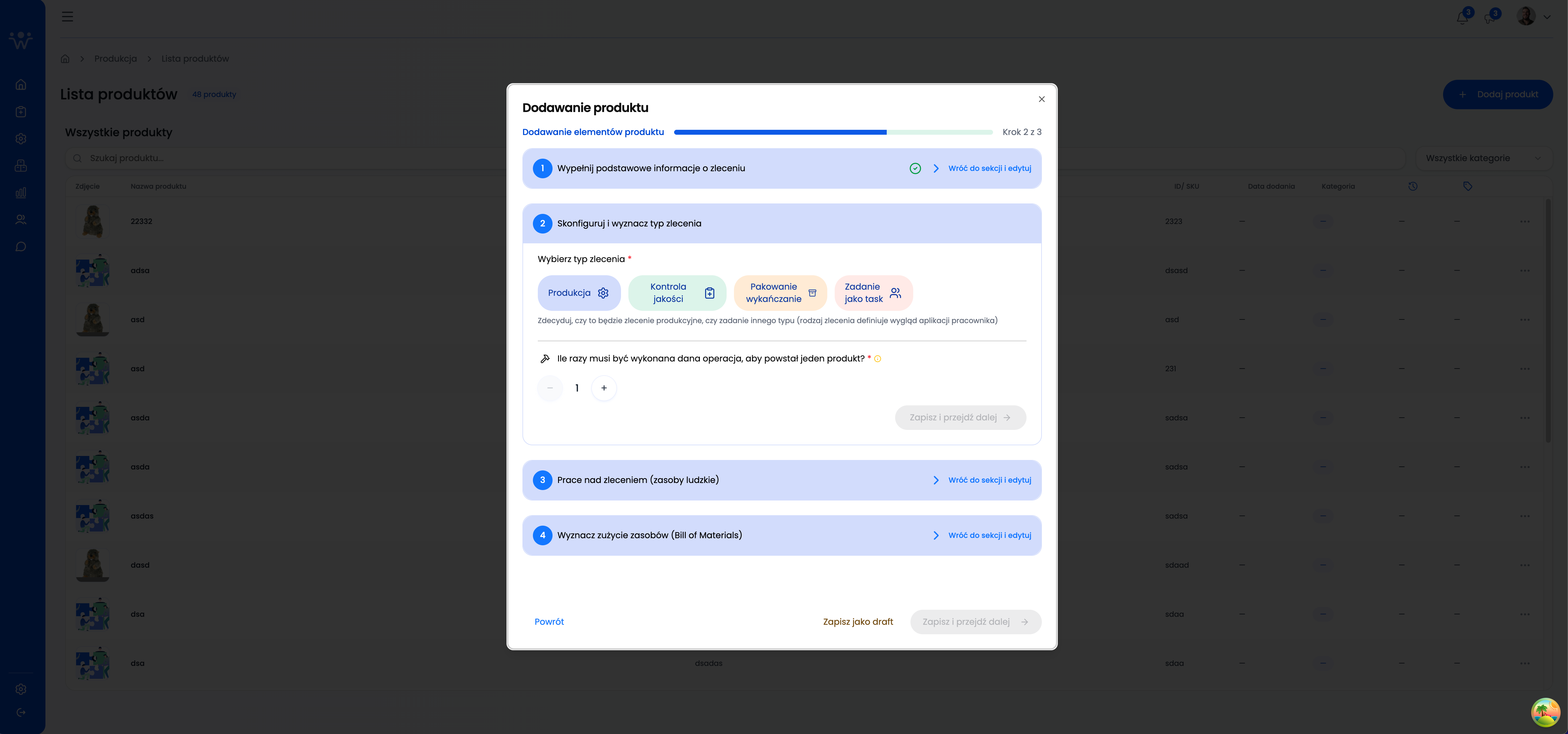
Adding a Product – Operation Configuration
This step of the product wizard defines the order type and production operations. The user specifies the nature of the work (production, quality control, packaging, or a single task) and the number of operation repetitions, which directly impacts planning and cost calculation.
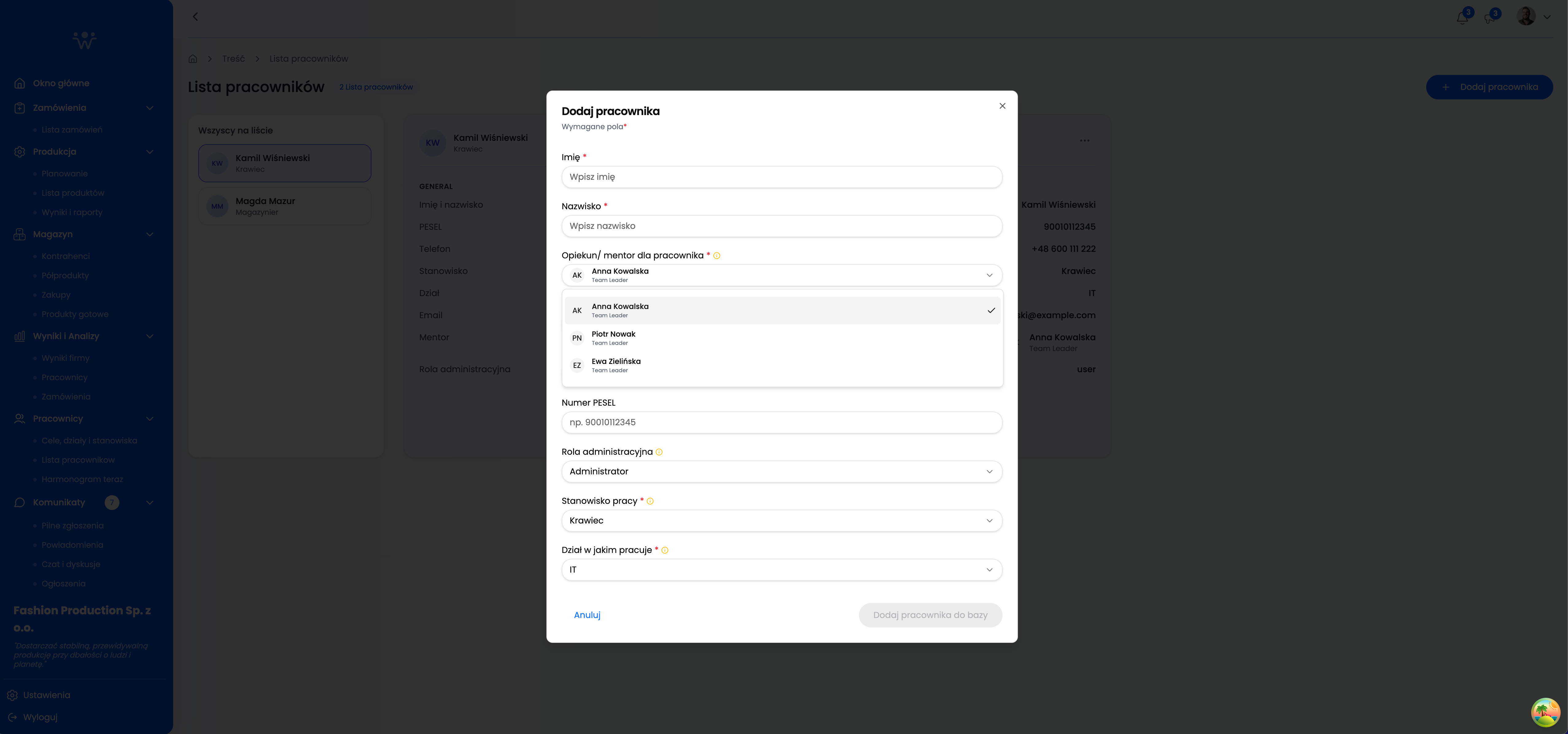
Adding an Employee
A form that allows for quickly adding a new employee to the system. It allows for assigning a mentor, administrative role, position, and department, ensuring a coherent personnel management structure from the onboarding stage.
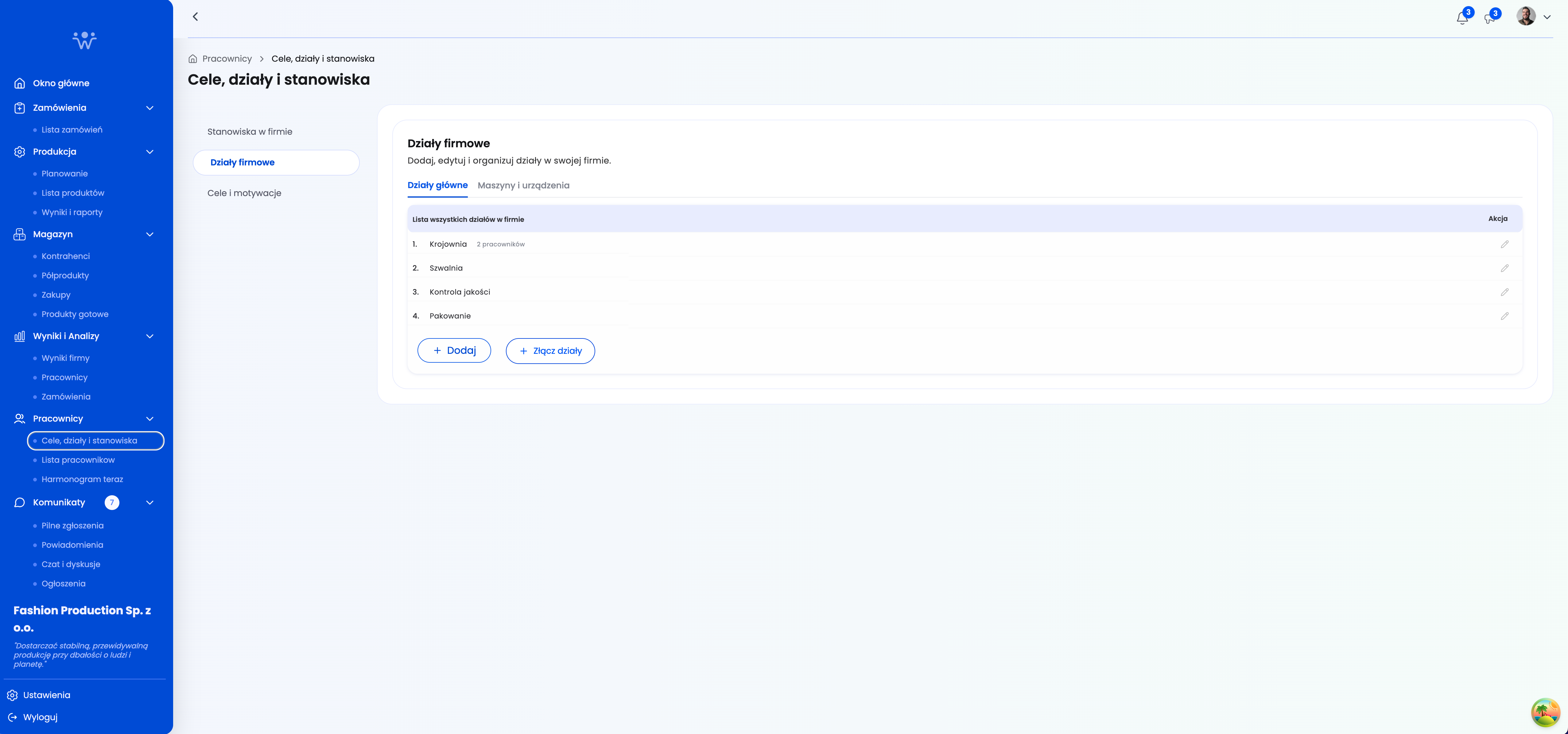
Goals, Departments, and Positions
A view for managing the company’s organizational structure. Users can add, edit, and merge company departments, as well as define job positions and their associated roles. A central place for organizing team organization.
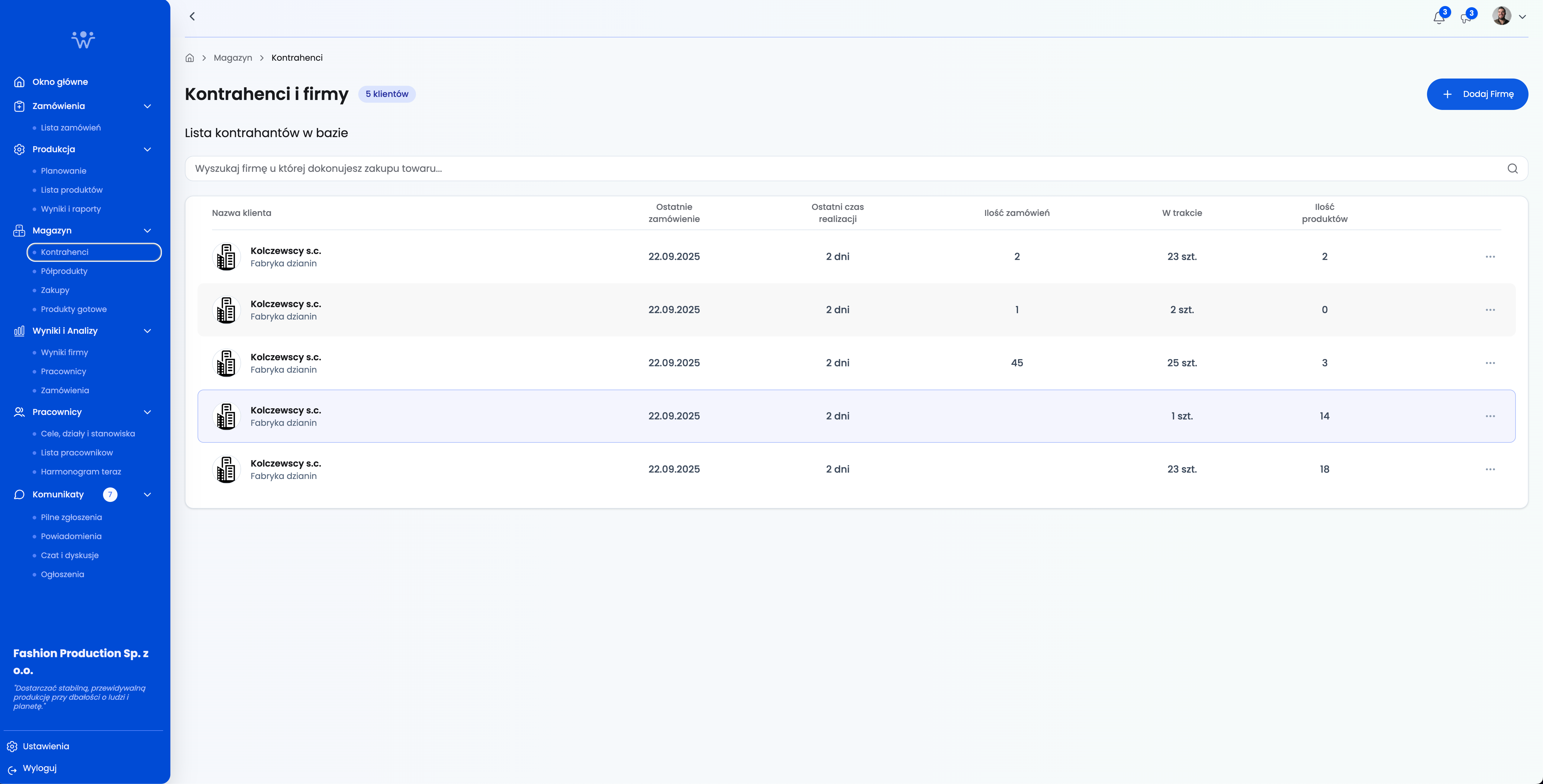
Customers and Companies
This view allows you to view and edit customers and companies associated with your account. Users can add and edit companies.
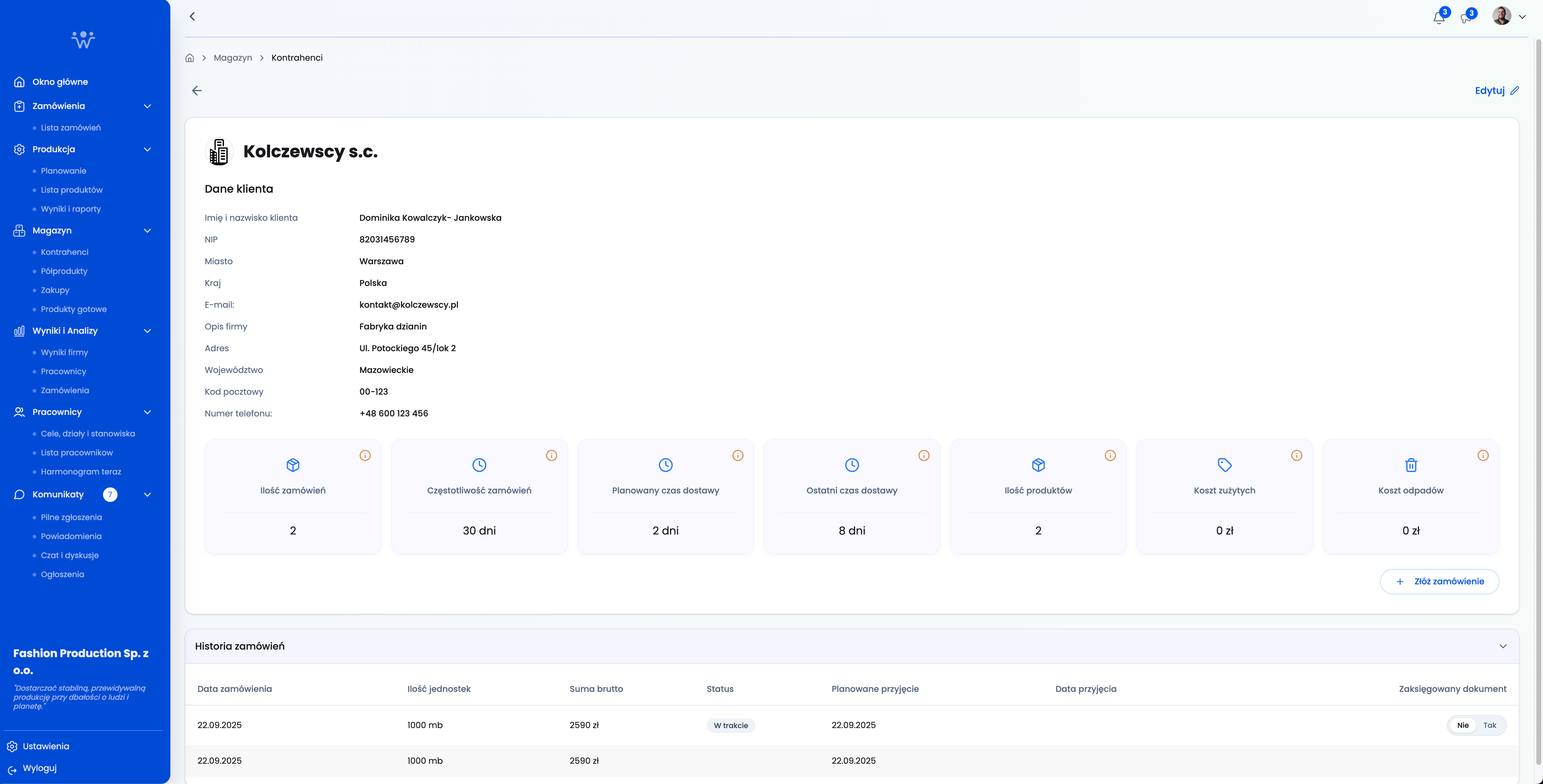
Customers and Companies Details
This view displays details about a specific company.
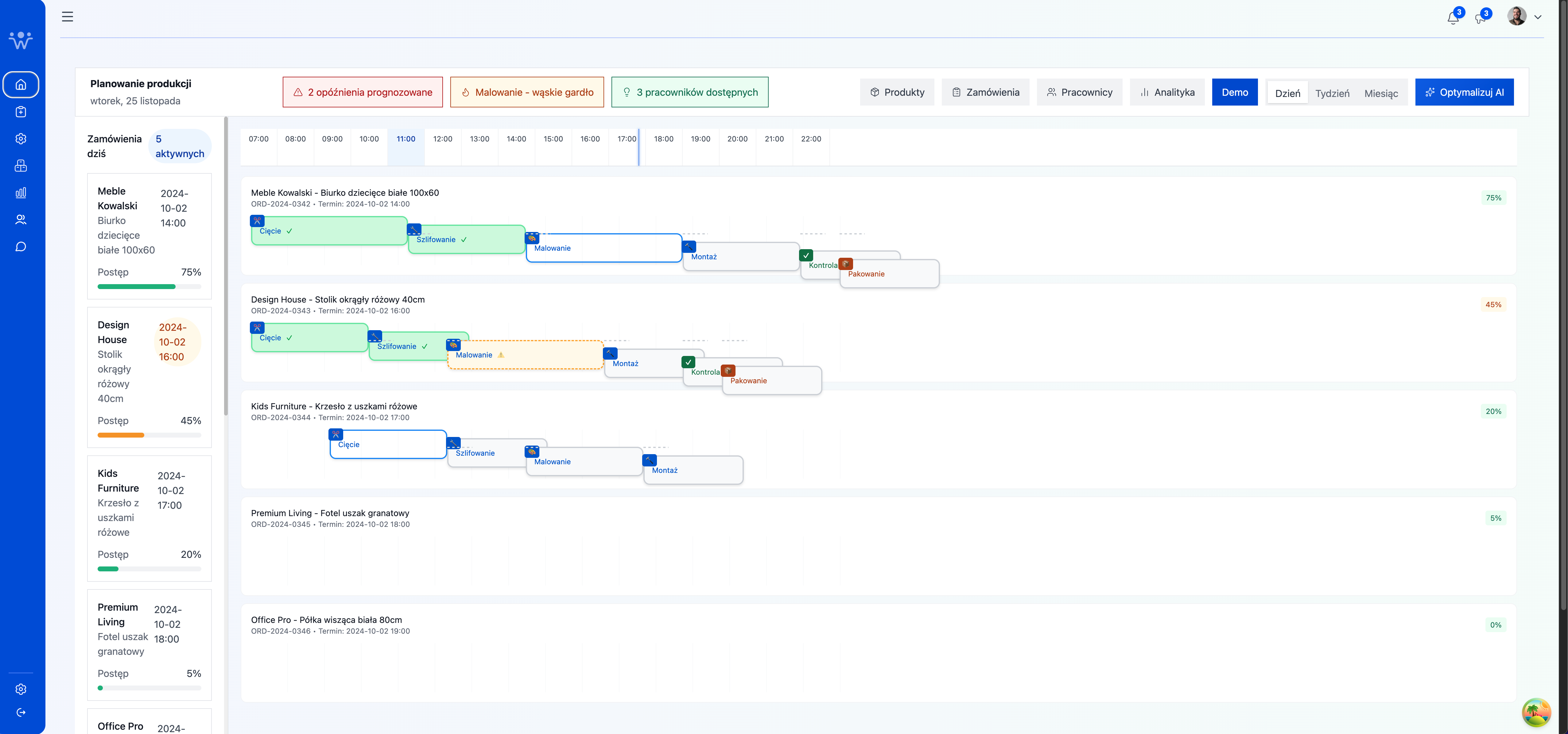
Production Planning
This view presents an interactive production planning schedule that shows order status, project milestones, and resource utilization over time. Users can quickly identify delays, bottlenecks, and employee availability, facilitating operational decision-making.